Mobile_Programming
Assalumalaikum.Wr.Wb
Pada Tugas UTS kali ini saya membuat Aplikasi sederhana Warung Makan BAKMI JOGJA
berbasis Android Menggunakan Android Studio.
Berikut ActivityXml nya :
<?xml version="1.0" encoding="utf-8"?>
<RelativeLayout xmlns:android="http://schemas.android.com/apk/res/android"
xmlns:tools="http://schemas.android.com/tools"
android:layout_width="match_parent"
android:layout_height="match_parent"
android:padding="30dp"
android:orientation="vertical"
tools:context=".MainActivity">
<LinearLayout
android:layout_width="fill_parent"
android:layout_height="fill_parent"
android:orientation="vertical">
<LinearLayout
android:layout_width="match_parent"
android:layout_height="wrap_content"
android:orientation="horizontal">
<TextView
android:layout_width="wrap_content"
android:layout_height="wrap_content"
android:text="Nama Pembeli : "
android:textStyle="bold"
android:textColor="@color/colorPrimary"/>
<EditText
android:layout_width="match_parent"
android:layout_height="wrap_content"
android:id="@+id/namapelanggan"
android:text="" />
</LinearLayout>
<LinearLayout
android:layout_width="match_parent"
android:layout_height="wrap_content"
android:orientation="horizontal">
<TextView
android:layout_width="wrap_content"
android:layout_height="wrap_content"
android:text="Pilih Menu : "
android:textStyle="bold"
android:textColor="@color/colorPrimary"/>
<EditText
android:layout_width="match_parent"
android:layout_height="wrap_content"
android:id="@+id/namabarang"
android:text="" />
</LinearLayout>
<LinearLayout
android:layout_width="match_parent"
android:layout_height="wrap_content"
android:orientation="horizontal">
<TextView
android:layout_width="wrap_content"
android:layout_height="wrap_content"
android:text="Jumlah Beli: "
android:textStyle="bold"
android:textColor="@color/colorPrimary"/>
<EditText
android:layout_width="match_parent"
android:layout_height="wrap_content"
android:id="@+id/jumlahbeli"
android:text=""
android:inputType="number"/>
</LinearLayout>
<LinearLayout
android:layout_width="match_parent"
android:layout_height="wrap_content"
android:orientation="horizontal">
<TextView
android:layout_width="wrap_content"
android:layout_height="wrap_content"
android:text="Harga : Rp "
android:textStyle="bold"
android:textColor="@color/colorPrimary"/>
<EditText
android:layout_width="match_parent"
android:layout_height="wrap_content"
android:id="@+id/harga"
android:text=""
android:inputType="number"
android:layout_marginBottom="8dp" />
</LinearLayout>
<LinearLayout
android:layout_width="match_parent"
android:layout_height="wrap_content"
android:orientation="horizontal">
<TextView
android:layout_width="wrap_content"
android:layout_height="wrap_content"
android:text="Uang Bayar: Rp "
android:textStyle="bold"
android:textColor="@color/colorPrimary"/>
<EditText
android:layout_width="match_parent"
android:layout_height="wrap_content"
android:id="@+id/uangbayar"
android:text=""
android:inputType="number"/>
</LinearLayout>
<Button
android:id="@+id/tombol1"
android:layout_width="match_parent"
android:layout_height="wrap_content"
android:layout_marginTop="30dp"
android:layout_marginBottom="8dp"
android:background="@color/colorPrimary"
android:text="PROSES"
android:textColor="#1b0e0e"
android:textStyle="bold" />
<TextView
android:layout_marginTop="20dp"
android:layout_width="wrap_content"
android:layout_height="wrap_content"
android:text="Total Belanja "
android:textColor="@color/colorPrimary"
android:id="@+id/totalbelanja"
android:textStyle="bold"
android:textSize="18dp"
android:layout_marginBottom="8dp" />
<TextView
android:layout_width="wrap_content"
android:layout_height="wrap_content"
android:text="Uang Kembali "
android:textColor="@color/colorPrimary"
android:id="@+id/uangkembali"
android:textStyle="bold"
android:textSize="18dp"
android:layout_marginBottom="8dp"/>
<TextView
android:layout_width="wrap_content"
android:layout_height="wrap_content"
android:text="Bonus"
android:textColor="@color/colorPrimary"
android:id="@+id/bonus"
android:textStyle="bold"
android:textSize="18dp"
android:layout_marginBottom="8dp"/>
<TextView
android:layout_width="wrap_content"
android:layout_height="wrap_content"
android:text="Keterangan "
android:textColor="@color/colorPrimary"
android:id="@+id/keterangan"
android:textStyle="bold"
android:textSize="18dp"
android:layout_marginBottom="8dp"/>
<LinearLayout
android:layout_marginTop="20dp"
android:layout_width="match_parent"
android:layout_height="wrap_content"
android:gravity="center"
android:orientation="horizontal">
<Button
android:id="@+id/tombol2"
android:layout_width="200dp"
android:layout_height="wrap_content"
android:background="@color/colorPrimary"
android:text="RESET DATA"
android:textColor="#1b0e0e"
android:textStyle="bold" />
<Button
android:id="@+id/tombol3"
android:layout_width="200dp"
android:layout_height="wrap_content"
android:layout_marginLeft="20dp"
android:background="@color/colorPrimary"
android:text="KELUAR"
android:textColor="#1b0e0e"
android:textStyle="bold" />
</LinearLayout>
</LinearLayout>
</RelativeLayout>
Dan berikut Activity Java :
package com.example.penjualan;
import android.support.v7.app.AppCompatActivity;
import android.os.Bundle;
import android.view.View;
import android.widget.Button;
import android.widget.EditText;
import android.widget.TextView;
import android.widget.Toast;
public class MainActivity extends AppCompatActivity {
private EditText edtnamapel, edtnamabar, edtjumlahbel, edtharga, edtuangbay;
private Button btnproses;
private Button btnhapus;
private Button btnexit;
private TextView txtnamapel;
private TextView txtnamabar;
private TextView txtjumlahbel;
private TextView txtharga;
private TextView txtuangbay;
private TextView txtbonus;
private TextView txttotalbelanja;
private TextView txtuangkembali;
private TextView txtketerangan;
@Override
protected void onCreate(Bundle savedInstanceState) {
super.onCreate(savedInstanceState);
setContentView(R.layout.activity_main);
getSupportActionBar().setTitle("Bakmi Jogja");
edtnamapel = (EditText) findViewById(R.id.namapelanggan);
edtnamabar = (EditText) findViewById(R.id.namabarang);
edtjumlahbel = (EditText) findViewById(R.id.jumlahbeli);
edtharga = (EditText) findViewById(R.id.harga);
edtuangbay = (EditText) findViewById(R.id.uangbayar);
btnproses = (Button) findViewById(R.id.tombol1);
btnhapus = (Button) findViewById(R.id.tombol2);
btnexit = (Button) findViewById(R.id.tombol3);
txtnamapel = (TextView) findViewById(R.id.namapelanggan);
txtnamabar = (TextView) findViewById(R.id.namabarang);
txtjumlahbel = (TextView) findViewById(R.id.jumlahbeli);
txtharga = (TextView) findViewById(R.id.harga);
txtuangbay = (TextView) findViewById(R.id.uangbayar);
txtbonus = (TextView) findViewById(R.id.bonus);
txttotalbelanja = (TextView) findViewById(R.id.totalbelanja);
txtuangkembali = (TextView) findViewById(R.id.uangkembali);
txtketerangan = (TextView) findViewById(R.id.keterangan);
//memberikan action pada tombol proses
btnproses.setOnClickListener(new View.OnClickListener() {
@Override
public void onClick(View view) {
String namapelanggan = edtnamapel.getText().toString().trim();
String namabarang = edtnamabar.getText().toString().trim();
String jumlahbeli = edtjumlahbel.getText().toString().trim();
String harga = edtharga.getText().toString().trim();
String uangbayar = edtuangbay.getText().toString().trim();
double jb = Double.parseDouble(jumlahbeli);
double h = Double.parseDouble(harga);
double ub = Double.parseDouble(uangbayar);
double total = (jb * h);
txttotalbelanja.setText("Total Belanja : " + total);
txtbonus.setText("Bonus : Tidak Ada Bonus");
}
double uangkembalian = (ub - total);
if (ub < total){
txtketerangan.setText("Keterangan : uang bayar kurang Rp " + (-uangkembalian));
txtuangkembali.setText("Uang Kembali : Rp 0" );
}else{
txtketerangan.setText("Keterangan : Tunggu Kembalian");
txtuangkembali.setText("Uang Kembali : " + uangkembalian);
}
//memberikan action pada tombol reset data
}
});
btnhapus.setOnClickListener(new View.OnClickListener() {
@Override
public void onClick(View view) {
txtnamapel.setText(" ");
txtnamabar.setText(" ");
txttotalbelanja.setText(" Total Belanja : Rp 0");
txtharga.setText(" ");
txtuangbay.setText(" ");
txtuangkembali.setText("Uang Kembali : Rp 0");
txtbonus.setText("Bonus : - ");
txtjumlahbel.setText(" ");
txtketerangan.setText("Keterangan : - ");
Toast.makeText(getApplicationContext(),"Data sudah direset", Toast.LENGTH_LONG).show();
// memberikan action pada tombol keluar
}
});
btnexit.setOnClickListener(new View.OnClickListener() {
public void onClick(View view) {
moveTaskToBack(true);
}
});
}
}
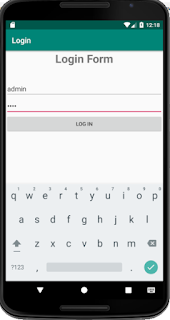
Berikut hasil running nya :


Mohon maaf apabila dalam pembuatan program ini masih banyak kekurangan,masih tahap belajar untuk lebih baik.
Terimakasih semoga bermanfaat.
Pada Tugas UTS kali ini saya membuat Aplikasi sederhana Warung Makan BAKMI JOGJA
berbasis Android Menggunakan Android Studio.
Berikut ActivityXml nya :
<?xml version="1.0" encoding="utf-8"?>
<RelativeLayout xmlns:android="http://schemas.android.com/apk/res/android"
xmlns:tools="http://schemas.android.com/tools"
android:layout_width="match_parent"
android:layout_height="match_parent"
android:padding="30dp"
android:orientation="vertical"
tools:context=".MainActivity">
<LinearLayout
android:layout_width="fill_parent"
android:layout_height="fill_parent"
android:orientation="vertical">
<LinearLayout
android:layout_width="match_parent"
android:layout_height="wrap_content"
android:orientation="horizontal">
<TextView
android:layout_width="wrap_content"
android:layout_height="wrap_content"
android:text="Nama Pembeli : "
android:textStyle="bold"
android:textColor="@color/colorPrimary"/>
<EditText
android:layout_width="match_parent"
android:layout_height="wrap_content"
android:id="@+id/namapelanggan"
android:text="" />
</LinearLayout>
<LinearLayout
android:layout_width="match_parent"
android:layout_height="wrap_content"
android:orientation="horizontal">
<TextView
android:layout_width="wrap_content"
android:layout_height="wrap_content"
android:text="Pilih Menu : "
android:textStyle="bold"
android:textColor="@color/colorPrimary"/>
<EditText
android:layout_width="match_parent"
android:layout_height="wrap_content"
android:id="@+id/namabarang"
android:text="" />
</LinearLayout>
<LinearLayout
android:layout_width="match_parent"
android:layout_height="wrap_content"
android:orientation="horizontal">
<TextView
android:layout_width="wrap_content"
android:layout_height="wrap_content"
android:text="Jumlah Beli: "
android:textStyle="bold"
android:textColor="@color/colorPrimary"/>
<EditText
android:layout_width="match_parent"
android:layout_height="wrap_content"
android:id="@+id/jumlahbeli"
android:text=""
android:inputType="number"/>
</LinearLayout>
<LinearLayout
android:layout_width="match_parent"
android:layout_height="wrap_content"
android:orientation="horizontal">
<TextView
android:layout_width="wrap_content"
android:layout_height="wrap_content"
android:text="Harga : Rp "
android:textStyle="bold"
android:textColor="@color/colorPrimary"/>
<EditText
android:layout_width="match_parent"
android:layout_height="wrap_content"
android:id="@+id/harga"
android:text=""
android:inputType="number"
android:layout_marginBottom="8dp" />
</LinearLayout>
<LinearLayout
android:layout_width="match_parent"
android:layout_height="wrap_content"
android:orientation="horizontal">
<TextView
android:layout_width="wrap_content"
android:layout_height="wrap_content"
android:text="Uang Bayar: Rp "
android:textStyle="bold"
android:textColor="@color/colorPrimary"/>
<EditText
android:layout_width="match_parent"
android:layout_height="wrap_content"
android:id="@+id/uangbayar"
android:text=""
android:inputType="number"/>
</LinearLayout>
<Button
android:id="@+id/tombol1"
android:layout_width="match_parent"
android:layout_height="wrap_content"
android:layout_marginTop="30dp"
android:layout_marginBottom="8dp"
android:background="@color/colorPrimary"
android:text="PROSES"
android:textColor="#1b0e0e"
android:textStyle="bold" />
<TextView
android:layout_marginTop="20dp"
android:layout_width="wrap_content"
android:layout_height="wrap_content"
android:text="Total Belanja "
android:textColor="@color/colorPrimary"
android:id="@+id/totalbelanja"
android:textStyle="bold"
android:textSize="18dp"
android:layout_marginBottom="8dp" />
<TextView
android:layout_width="wrap_content"
android:layout_height="wrap_content"
android:text="Uang Kembali "
android:textColor="@color/colorPrimary"
android:id="@+id/uangkembali"
android:textStyle="bold"
android:textSize="18dp"
android:layout_marginBottom="8dp"/>
<TextView
android:layout_width="wrap_content"
android:layout_height="wrap_content"
android:text="Bonus"
android:textColor="@color/colorPrimary"
android:id="@+id/bonus"
android:textStyle="bold"
android:textSize="18dp"
android:layout_marginBottom="8dp"/>
<TextView
android:layout_width="wrap_content"
android:layout_height="wrap_content"
android:text="Keterangan "
android:textColor="@color/colorPrimary"
android:id="@+id/keterangan"
android:textStyle="bold"
android:textSize="18dp"
android:layout_marginBottom="8dp"/>
<LinearLayout
android:layout_marginTop="20dp"
android:layout_width="match_parent"
android:layout_height="wrap_content"
android:gravity="center"
android:orientation="horizontal">
<Button
android:id="@+id/tombol2"
android:layout_width="200dp"
android:layout_height="wrap_content"
android:background="@color/colorPrimary"
android:text="RESET DATA"
android:textColor="#1b0e0e"
android:textStyle="bold" />
<Button
android:id="@+id/tombol3"
android:layout_width="200dp"
android:layout_height="wrap_content"
android:layout_marginLeft="20dp"
android:background="@color/colorPrimary"
android:text="KELUAR"
android:textColor="#1b0e0e"
android:textStyle="bold" />
</LinearLayout>
</LinearLayout>
</RelativeLayout>
Dan berikut Activity Java :
package com.example.penjualan;
import android.support.v7.app.AppCompatActivity;
import android.os.Bundle;
import android.view.View;
import android.widget.Button;
import android.widget.EditText;
import android.widget.TextView;
import android.widget.Toast;
public class MainActivity extends AppCompatActivity {
private EditText edtnamapel, edtnamabar, edtjumlahbel, edtharga, edtuangbay;
private Button btnproses;
private Button btnhapus;
private Button btnexit;
private TextView txtnamapel;
private TextView txtnamabar;
private TextView txtjumlahbel;
private TextView txtharga;
private TextView txtuangbay;
private TextView txtbonus;
private TextView txttotalbelanja;
private TextView txtuangkembali;
private TextView txtketerangan;
@Override
protected void onCreate(Bundle savedInstanceState) {
super.onCreate(savedInstanceState);
setContentView(R.layout.activity_main);
getSupportActionBar().setTitle("Bakmi Jogja");
edtnamapel = (EditText) findViewById(R.id.namapelanggan);
edtnamabar = (EditText) findViewById(R.id.namabarang);
edtjumlahbel = (EditText) findViewById(R.id.jumlahbeli);
edtharga = (EditText) findViewById(R.id.harga);
edtuangbay = (EditText) findViewById(R.id.uangbayar);
btnproses = (Button) findViewById(R.id.tombol1);
btnhapus = (Button) findViewById(R.id.tombol2);
btnexit = (Button) findViewById(R.id.tombol3);
txtnamapel = (TextView) findViewById(R.id.namapelanggan);
txtnamabar = (TextView) findViewById(R.id.namabarang);
txtjumlahbel = (TextView) findViewById(R.id.jumlahbeli);
txtharga = (TextView) findViewById(R.id.harga);
txtuangbay = (TextView) findViewById(R.id.uangbayar);
txtbonus = (TextView) findViewById(R.id.bonus);
txttotalbelanja = (TextView) findViewById(R.id.totalbelanja);
txtuangkembali = (TextView) findViewById(R.id.uangkembali);
txtketerangan = (TextView) findViewById(R.id.keterangan);
//memberikan action pada tombol proses
btnproses.setOnClickListener(new View.OnClickListener() {
@Override
public void onClick(View view) {
String namapelanggan = edtnamapel.getText().toString().trim();
String namabarang = edtnamabar.getText().toString().trim();
String jumlahbeli = edtjumlahbel.getText().toString().trim();
String harga = edtharga.getText().toString().trim();
String uangbayar = edtuangbay.getText().toString().trim();
double jb = Double.parseDouble(jumlahbeli);
double h = Double.parseDouble(harga);
double ub = Double.parseDouble(uangbayar);
double total = (jb * h);
txttotalbelanja.setText("Total Belanja : " + total);
txtbonus.setText("Bonus : Tidak Ada Bonus");
}
double uangkembalian = (ub - total);
if (ub < total){
txtketerangan.setText("Keterangan : uang bayar kurang Rp " + (-uangkembalian));
txtuangkembali.setText("Uang Kembali : Rp 0" );
}else{
txtketerangan.setText("Keterangan : Tunggu Kembalian");
txtuangkembali.setText("Uang Kembali : " + uangkembalian);
}
//memberikan action pada tombol reset data
}
});
btnhapus.setOnClickListener(new View.OnClickListener() {
@Override
public void onClick(View view) {
txtnamapel.setText(" ");
txtnamabar.setText(" ");
txttotalbelanja.setText(" Total Belanja : Rp 0");
txtharga.setText(" ");
txtuangbay.setText(" ");
txtuangkembali.setText("Uang Kembali : Rp 0");
txtbonus.setText("Bonus : - ");
txtjumlahbel.setText(" ");
txtketerangan.setText("Keterangan : - ");
Toast.makeText(getApplicationContext(),"Data sudah direset", Toast.LENGTH_LONG).show();
// memberikan action pada tombol keluar
}
});
btnexit.setOnClickListener(new View.OnClickListener() {
public void onClick(View view) {
moveTaskToBack(true);
}
});
}
}
Berikut hasil running nya :


Mohon maaf apabila dalam pembuatan program ini masih banyak kekurangan,masih tahap belajar untuk lebih baik.
Terimakasih semoga bermanfaat.
Mantul
BalasHapusTerimakasih
BalasHapus